Journal Voucher
Any voucher which does not affect Cash or Bank is a Journal Voucher. This voucher enables adjustment entries to be posted between ledger accounts other than Cash, Petty Cash and Bank.
Click on the menu Financial Accounting -> Documents -> Journal Voucher.
The following screen should appear. This is the Journal Voucher Collection.
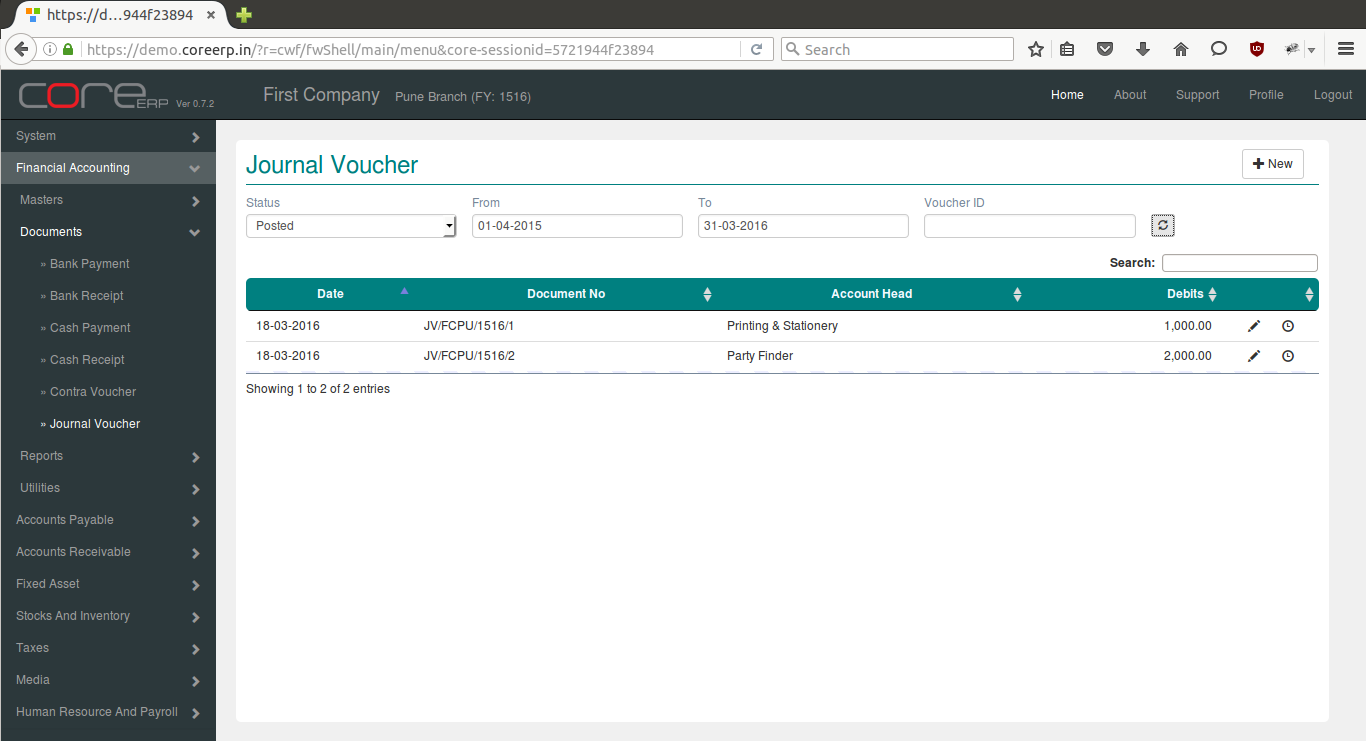
You can create a new Journal Voucher by clicking on 
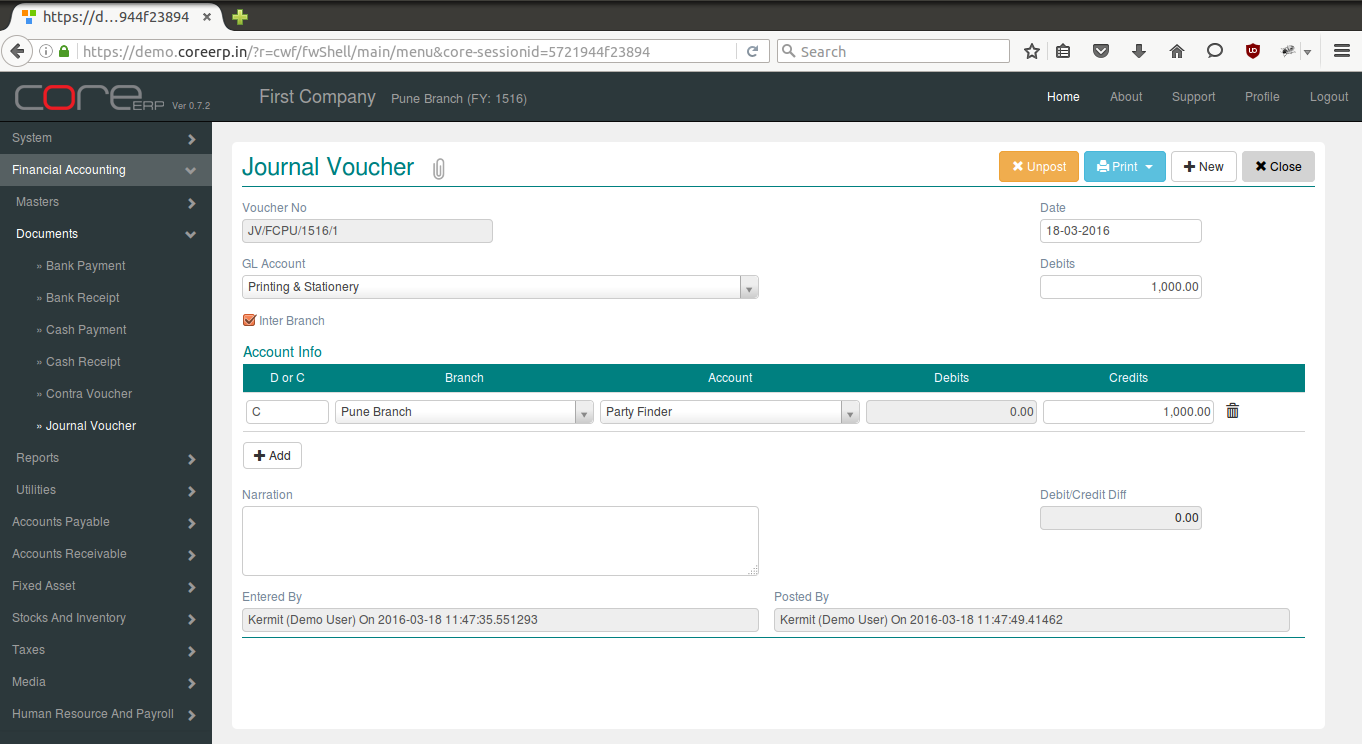
The fields are explained in the following table:
| Field Name | Required | Description |
|---|---|---|
| Voucher No | No | This is a system generated field. (Format - VoucherAlias/Branch Alias/FinYear Alias/Sequence Number) |
| Date | Yes | The Voucher Date. By default, the system date is taken as Voucher Date. Note : The date should be within the constraints of the Financial Year. |
| Inter Branch | No | Select this option to make interbranch payment. |
| Bank/Cash Account | Yes | Ledger Account. |
| Amount Paid | Yes | Amount to be debited. This is the net amount for which the payment is dispersed. |
| Account Info - D or C | Yes | D - Debit, C- Credit |
| Account Info - Account | Yes | Ledger Account - Account to which amount is to be credited/Debited based on D or C. |
| Account Info - Debits | Yes | Amount to be debited to the ledger account. Required if D or C * is *D. |
| Account Info - Credits | Yes | Amount to be credited to the ledger account. Required if D or C * is *C. |
| Narration | No | This is an optional field. Press Ctrl + A to bring the default narration - Being amount paid to (Paid To) |
| Debit/Credit Diff | No | This will show the Credit and Debit total Difference. |
Click on  to save your changes.
Click on  to change status of the voucher and close. The Journal Voucher Collection will now display the newly created Bank Payment.
Click on  to delete the saved voucher. This will permanently delete the voucher from the system. Posted voucher cannot be deleted.
To delete posted voucher, unpost them by clicking on  Then delete the voucher.